
Author
Types of Website Chatbot Widgets: Examples and Guide
Pick the wrong chat widget and you either frustrate visitors with a clunky scripted bot or burn budget on enterprise tooling you do not need. Knowing the types up front saves you both. A website chatbot widget is the interactive chat interface embedded on a web page that lets businesses engage visitors through automated conversations, lead qualification, and real-time support. A chat widget serves as the visual interface backed by different logic layers, including live agents, scripted bots, AI, or hybrids. Understanding the types of website chatbot widgets available helps you pick the right tool for your goals.
Types of website chatbot widgets explained
The six core website chatbot types each solve a different problem. Knowing which category fits your use case saves you from deploying the wrong tool and frustrating your visitors.
- Live chat widgets connect visitors directly to human agents. Intercom is the most recognized example. These work best for complex, high-value conversations where nuance matters, such as enterprise sales or sensitive account issues.
- Rule-based chatbots follow scripted decision trees. Landbot is a strong example, using guided button flows to walk users through forms, FAQs, or product finders. They deploy fast and require no AI training.
- AI-powered chatbots use natural language processing to interpret free-text input. Freshchat and Ada fall into this category. They handle open-ended queries without forcing users down a fixed path.
- Hybrid chatbots combine AI frontline response with human escalation. Hybrid models reduce customer effort by 35–45% compared to AI-only solutions. They triage the majority of queries automatically and route complex cases to agents.
- Voice-enabled chatbots process spoken requests. Voice bots face accuracy challenges that limit their use to simple tasks and confirmations, making them a niche choice for most websites today.
- Multi-channel contact widgets integrate chat, social media links, scheduling tools, and contact forms into one launcher. Knock (formerly Knocket) is a common example used by SaaS companies to offer visitors multiple ways to connect from a single button.
Pro Tip: If you are unsure which type fits your site, start with a hybrid widget. It gives you automation coverage while keeping a human fallback for edge cases.
Deployment time, cost, and scalability compared

Choosing a chatbot widget type is also a budget and timeline decision. The table below summarizes the practical tradeoffs across the main categories.
| Widget Type | Deployment Time | Monthly Cost | Scalability |
|---|---|---|---|
| Live chat | 1–2 hours | 50–150 (small biz) | Limited by agent headcount |
| Rule-based bot | 1–3 hours | 50–150 | High for predictable flows |
| No-code AI bot | 1–4 hours | 50–150 | High with content updates |
| Hybrid bot | Days to 2 weeks | 150–500+ | Very high |
| Custom enterprise AI | 4–12 weeks | $1,000+ | Highest |
| Voice-enabled | 2–4 weeks | 200–500+ | Moderate |
Enterprise AI solutions starting at $1,000 per month reflect the cost of custom training, dedicated infrastructure, and ongoing model maintenance. That price point is justified only when query volume and complexity exceed what off-the-shelf tools can handle. For most small and mid-size businesses, no-code AI or hybrid widgets deliver the best return. Configuring hybrid bots does require additional handoff logic setup and agent training, but that investment pays off in measurably better customer satisfaction scores.
Pro Tip: Before committing to an enterprise plan, run a no-code AI widget for 30 days and measure deflection rate. Many businesses discover that 70%+ of queries resolve without a human, which changes the cost calculation entirely.
Real-world chatbot widget examples by industry
The best chatbot widget examples show how different industries apply each type to solve specific problems. Here is how leading brands deploy them.
- E-commerce (Tidio): Tidio's AI widget on Shopify stores handles order status, return requests, and product recommendations automatically. Retailers using Tidio report significant reductions in support ticket volume. Chatwith also offers a Shopify-specific AI chatbot that trains on product catalogs for accurate, context-rich answers.
- SaaS (Intercom): Intercom's live chat and bot hybrid qualifies inbound leads by asking role, company size, and use case before routing to a sales rep. This is a textbook example of widgets qualifying and routing conversations to increase conversion.
- Financial services (Zendesk): Zendesk's Answer Bot uses AI to surface relevant help articles before escalating to an agent. Banks and fintech companies use this pattern to handle account FAQs at scale without compliance risk from unsupervised AI responses.
- Customer support (Ada): Ada deploys rule-based and AI hybrid widgets for telecom and retail brands. Its strength is high-volume triage: it handles thousands of simultaneous conversations and routes only unresolved cases to human agents.
- B2B sales: AI sales agents integrated with chat widgets can qualify prospects and book meetings directly from the widget. Platforms built for B2B sales automation show how chat widgets extend beyond support into revenue generation.
Trends and best practices for chatbot widgets in 2026
80% of businesses are projected to use some form of chatbot for customer engagement in 2026. That saturation means the differentiator is no longer whether you have a widget. It is how well you configure it.
- Prioritize human handoff. The widget itself is only the visual layer. The real intelligence is in the backend and in a smooth escalation path when the bot reaches its limit. Broken handoffs are the top cause of chat abandonment.
- Avoid form-disguise traps. Turning a chat widget into a long form frustrates users and kills engagement. Use button-based navigation and keep flows under five steps wherever possible.
- Customize by page context. A pricing page visitor needs different support than a homepage visitor. Configure your widget to detect page URL and adjust its opening message accordingly.
- Use multi-channel widgets on high-traffic pages. Giving visitors the choice between chat, email, and scheduling reduces friction and increases the chance they engage at all.
- Monitor analytics weekly. Chatbot performance degrades as products and policies change. Review unresolved query logs regularly and update your bot's knowledge base to stay accurate.
"Hybrid chatbots are the best fit for most small businesses because they balance automation and human interaction to decrease frustration and increase customer satisfaction."
Check the best practices for business chatbots to build a configuration checklist before you go live.
Key takeaways
The most effective website chatbot widget combines AI automation with a clear, fast path to a human agent when the bot reaches its limits.
| Point | Details |
|---|---|
| Six core widget types exist | Live chat, rule-based, AI, hybrid, voice, and multi-channel each serve distinct use cases. |
| Hybrid bots reduce customer effort most | Hybrid models cut customer effort by 35–45% compared to AI-only solutions. |
| Deployment time varies widely | No-code AI deploys in hours; custom enterprise AI takes 4–12 weeks. |
| Cost scales with complexity | Small business plans run 50–150/month; enterprise solutions start at $1,000+/month. |
| Avoid form-disguise traps | Keep chat flows under five steps and use button navigation to maintain engagement. |
Why most businesses get chatbot widgets wrong
After reviewing dozens of chatbot deployments, the pattern I see most often is businesses treating the widget as a set-it-and-forget-it tool. They launch a rule-based bot, never update it, and then wonder why satisfaction scores drop six months later.
The second mistake is overloading the widget. I have seen SaaS companies cram lead capture, support triage, demo booking, and a product tour into a single chat flow. Users bail at step two. A widget with one clear job, done well, outperforms a widget trying to do everything.
The third mistake is skipping agent training for handoffs. The bot hands off to a human, but the human has no context from the conversation. The customer repeats themselves. That moment destroys trust faster than any bot error. If you invest in a hybrid model, invest equally in the handoff protocol. It is the detail that separates a good customer experience from a frustrating one.
My honest recommendation: start with a hybrid widget, define one primary use case, and measure deflection rate and resolution time weekly. Expand the widget's scope only after the core flow is working cleanly.
— Alyssa
Build a smarter chatbot widget with Chatwith
If you are ready to move beyond generic chatbot responses, Chatwith lets you build a custom AI chatbot trained directly on your website content, knowledge base, and uploaded files, so it answers from your actual content instead of scripted fallbacks.
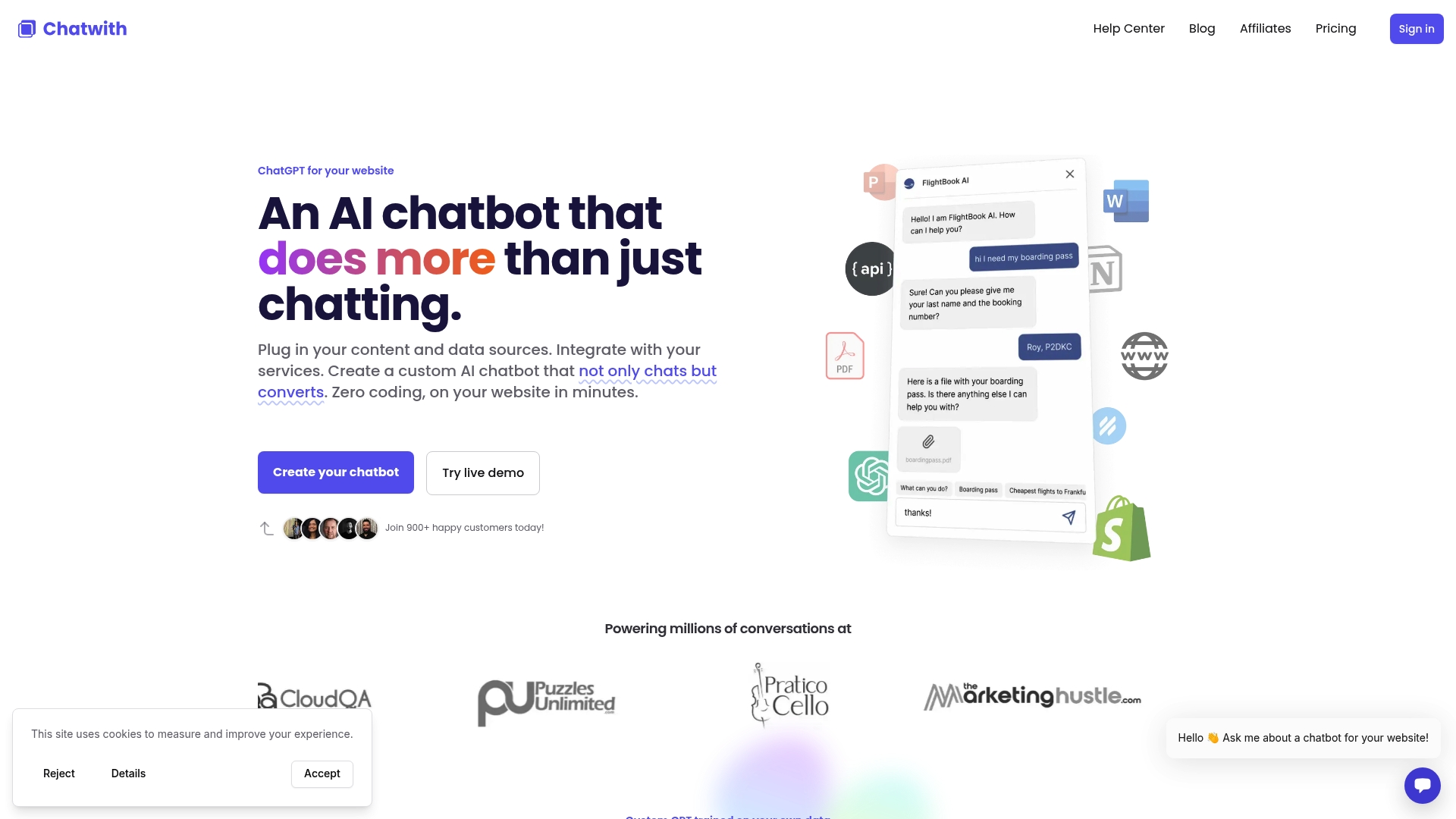
Chatwith handles 24/7 automated conversations in over 95 languages and connects with more than 5,000 applications through API integrations, so the widget can book meetings, look up orders, and escalate to a human without leaving the chat. Setup takes minimal coding, which means your team goes live in hours rather than weeks, and plans scale transparently from small business to enterprise on the pricing page so you can match your budget to your query volume.
Add a smart AI chat widget with Chatwith → — free trial, no credit card required, live on your website in minutes.
FAQ
What is a website chat widget?
A website chat widget is the visible chat button or window embedded on a web page that connects visitors to a live agent, rule-based bot, or AI system. It serves as the interface layer for all chatbot interactions on a site.
What is the best chatbot widget type for small businesses?
Hybrid chatbots are the best fit for most small businesses because they automate the majority of queries while routing complex cases to human agents, reducing both cost and customer frustration.
How long does it take to deploy a chatbot widget?
No-code AI and rule-based widgets typically deploy in 1–4 hours. Custom enterprise AI solutions require 4–12 weeks of development and training before going live.
What are the main chatbot widget examples used in e-commerce?
Tidio, Zendesk, and Ada are widely used in e-commerce for order support, product recommendations, and return handling. Chatwith also offers Shopify-specific AI widgets trained on product data.
How do i avoid common chatbot widget mistakes?
Keep chat flows short, use button-based navigation instead of open text fields, and configure a clear human handoff path. Review unresolved query logs weekly to keep your bot's knowledge current.
Recommended
More from our blog
Top 4 Effortmark.co.uk Alternatives 2026
Discover 4 Effortmark.co.uk alternatives to enhance customer engagement and automate support systems effectively in 2026.
How OpenAPI Actions can make a custom GPT more powerful
Explore how Actions with OpenAPI can make custom GPT chatbots more capable, enabling them to access external data and automate tasks.