Chatwith logo

Built for

SaaS

Turn your help center and product docs into an agent that qualifies trials and deflects support tickets.

E-Commerce

Help shoppers find products, check order status, and get answers without waiting for your team.

Real Estate

Let buyers search listings, ask about neighborhoods, and book viewings — even after hours.

Food Delivery

Share your menu, track orders, and answer delivery questions without tying up the phone line.

Healthcare

Answer FAQs about services, hours, and policies while routing urgent cases to your team.

Manufacturing

Help buyers and distributors find part numbers, specs, and lead times instantly.

Finance

Deflect routine inquiries about accounts, fees, and processes while keeping humans in the loop.

Travel & Tourism

Help visitors explore destinations, compare packages, and get booking details around the clock.

Legal

Screen leads, explain your practice areas, and share intake info before a consultation.

All use cases
AgenciesHelp CenterBlogAffiliatesPricing
Sign in
Help Center
Get Started
Installation
Customization
Features
Actions
Developer
Video Guides
Training
  • Company

  • Home
  • Blog
  • Pricing
  • Affiliate
  • Roadmap & Feedback
  • Compare

  • Chatbase alternative
  • Botsonic alternative
  • Dante alternative
  • SiteGTP alternative
  • CustomGPT alternative
  • Use Cases

  • SaaS
  • E-Commerce
  • Real Estate
  • Food Delivery
  • Healthcare
  • Manufacturing
  • Finance
  • Travel & Tourism
  • Legal
  • Support

  • Help Center
  • FAQ
  • System status
  • API documentation
  • Integrations

  • Shopify integration
  • WooCommerce integration
  • Make.com integration
  • ActivePieces integration
  • Albato integration
  • Installation

  • Add ChatGPT to Wordpress
  • Add ChatGPT to Webflow
  • Add ChatGPT to Wix
  • Add ChatGPT to Shopify
  • Add ChatGPT to Framer
  • Add ChatGPT to Slack
  • Add ChatGPT to Telegram
  • Add ChatGPT to WhatsApp
  • Resources

  • Glossary
  • Privacy Policy
  • Terms of Use
  • DPA
  • Free tools

  • Website Scraping API
  • YouTube Transcript API
GDPR logo
GDPR Compliant
Your data is safe with us
    How to improve your agent responses

    How to improve your agent responses

    Training your agent on your text resources is great to get your agent up and running. To make sure your agent provides the best possible answers to your visitor questions, you can use Refinements.
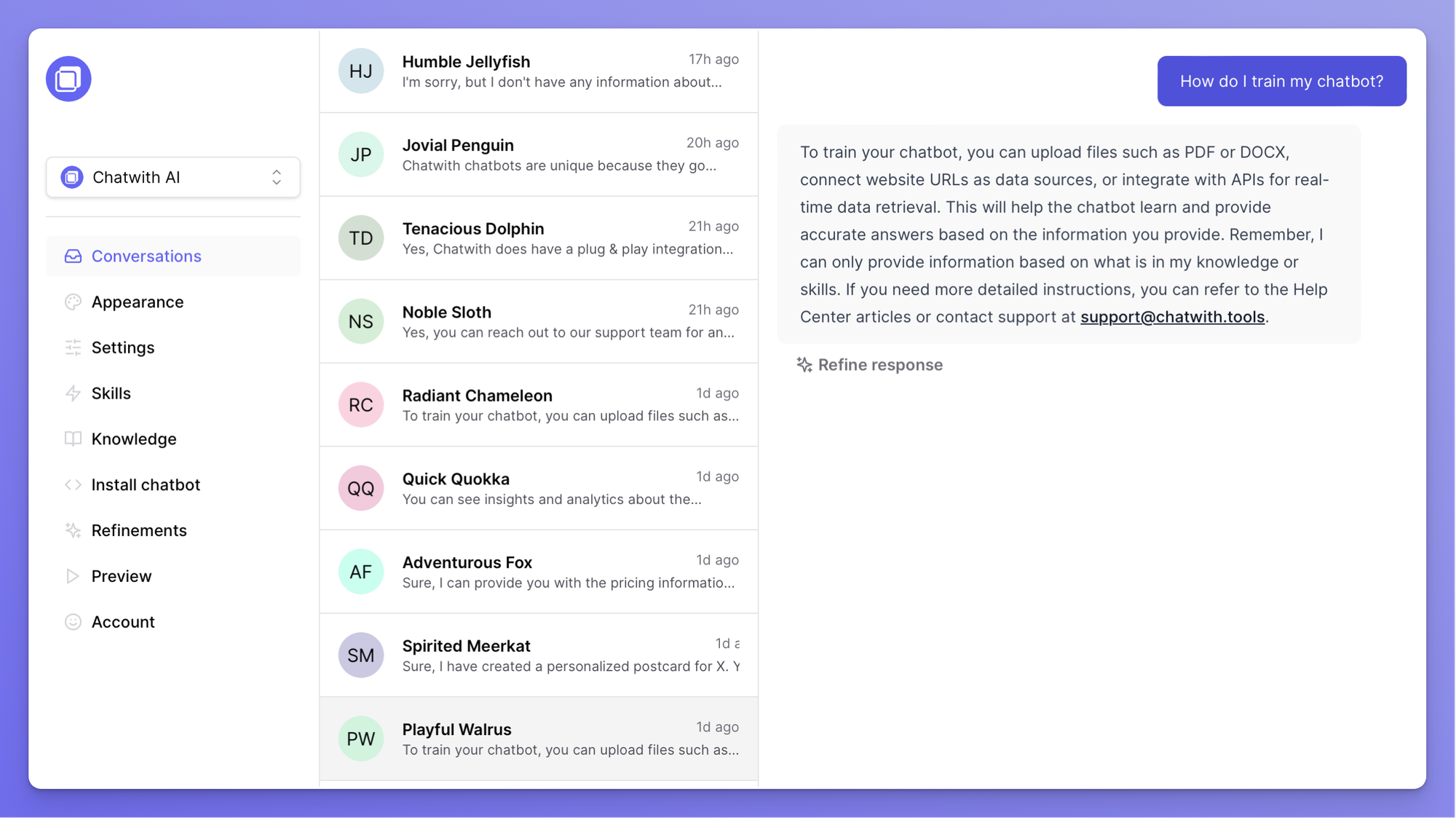
    The easiest way fine-tune your agent is by using the Refine answer functionality directly in your Conversations section in the Dashboard.
    To do this, open your Conversations and find a question you would like to add a refinement for.
    notion image
     
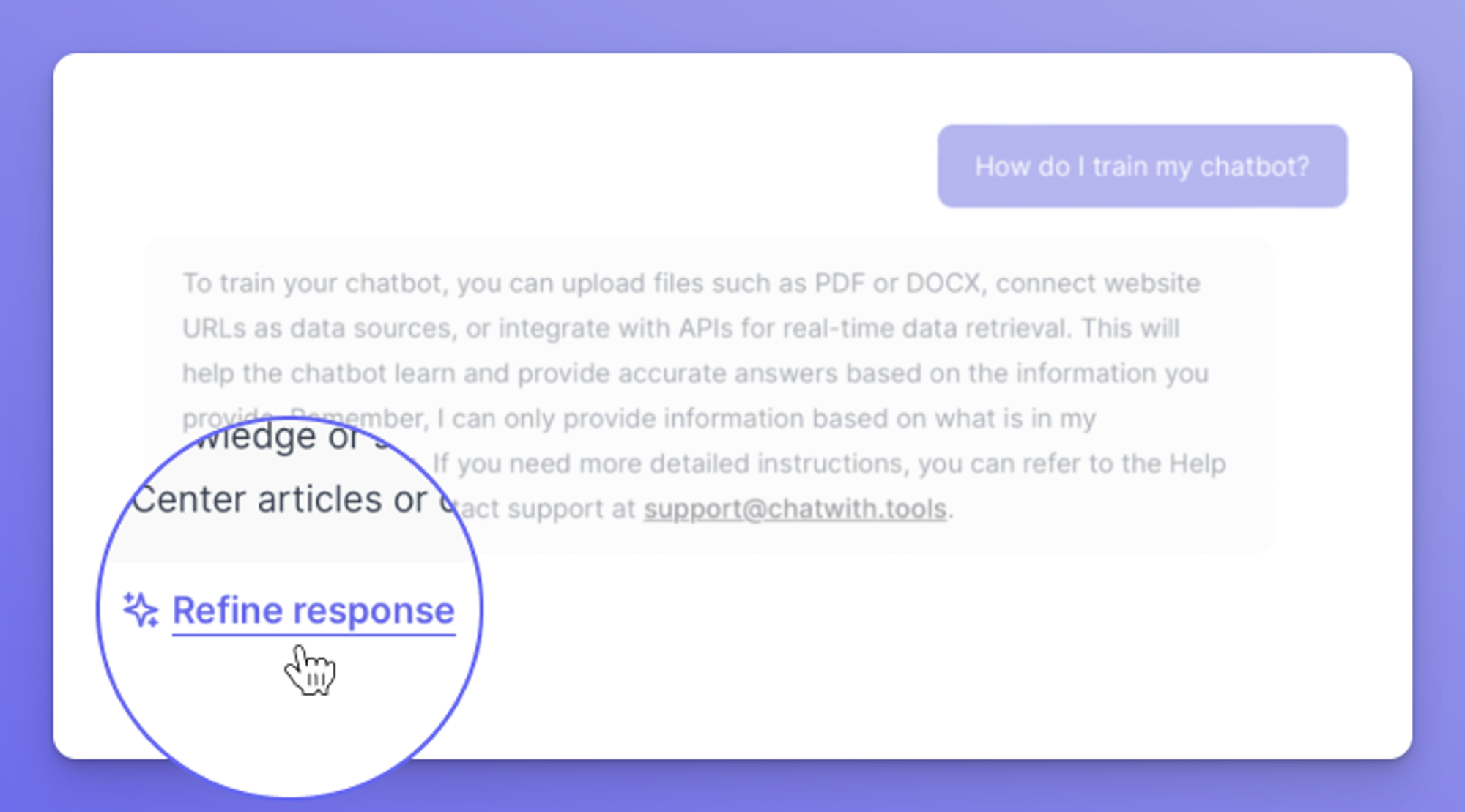
    Click on the Refine answer button underneath the answer the agent supplied to improve it.
    notion image
     
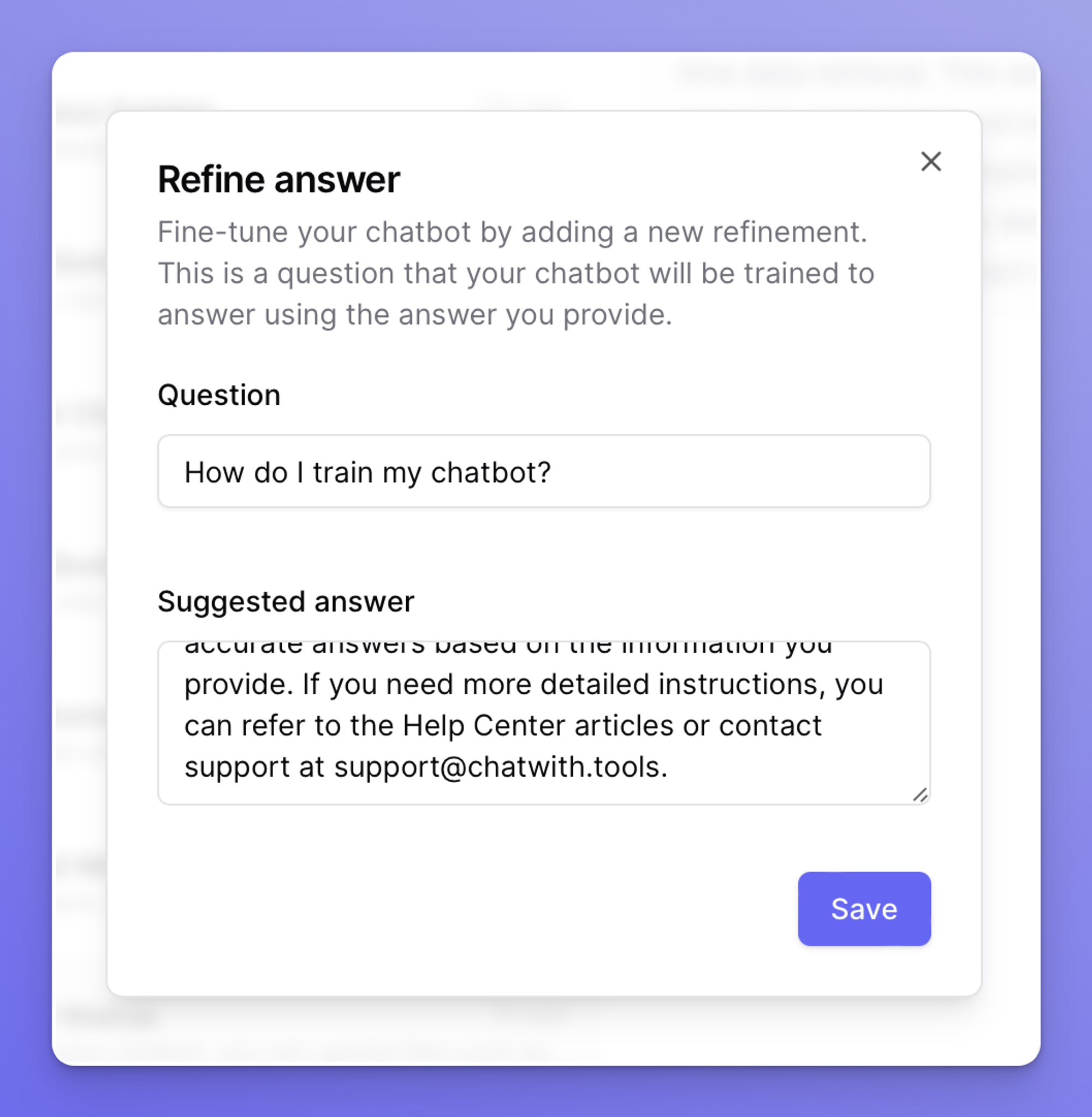
    Update the suggested answer you would like to use to train your agent, and click on the Save button.
    notion image
    Your agent will now answer questions similar to the one you trained it for, using the suggested answer.
     
    💡
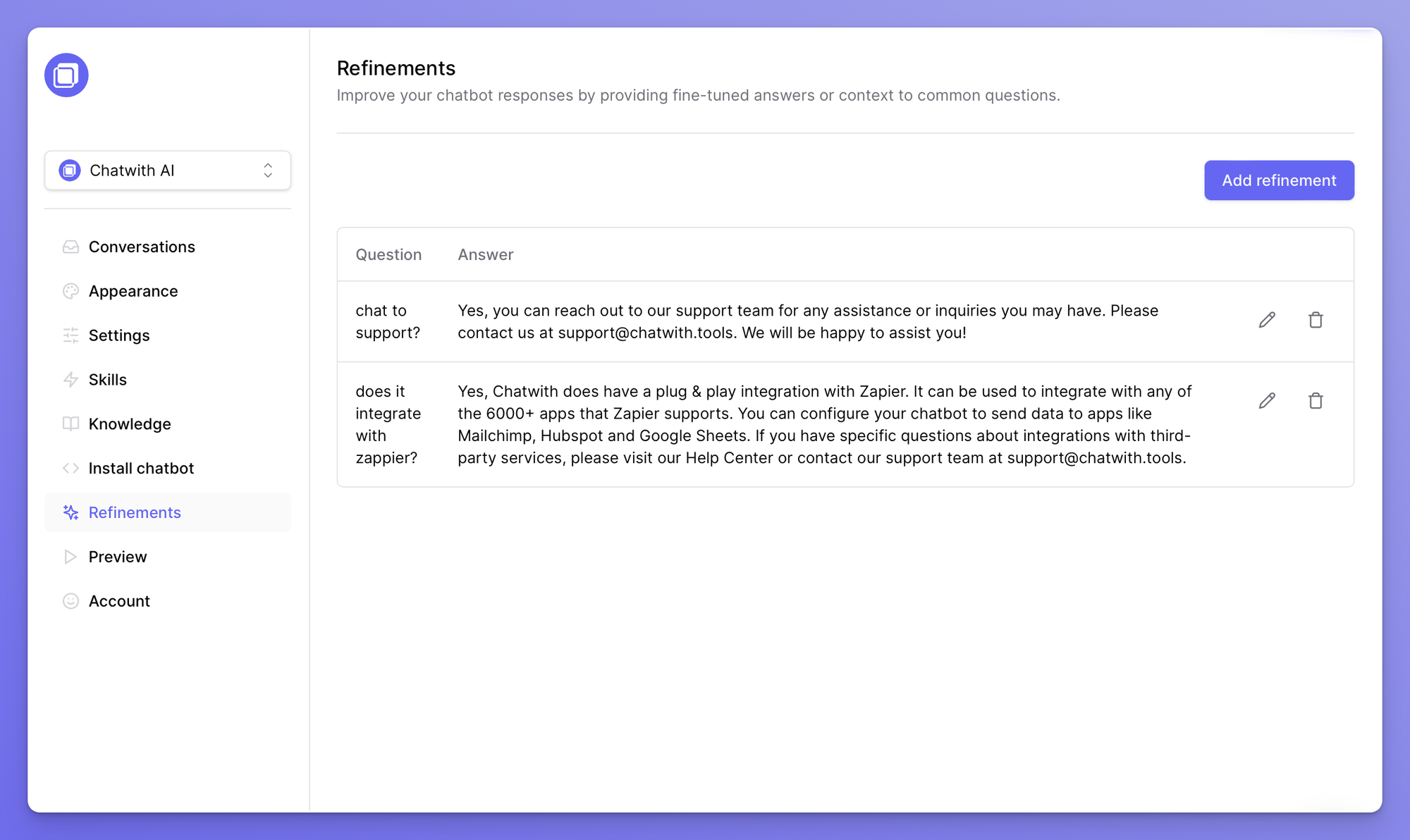
    Refinements can also be used as simple Q&A knowledge sources for your agent.
     
    You can find all refinements in the dedicated section in the dashboard: https://chatwith.tools/app/refinements
     
    notion image
     
    💡
    Looking to improve the quality of training sources? See common questions and answers here:
    Knowledge sources: frequently asked questions
    Knowledge sources: frequently asked questions