
Founder of Chatwith
25 FAQ Page Examples for Any Website (2026)
A great FAQ page does three things: saves your team from answering the same questions on repeat, keeps visitors on your site longer, and ranks in Google for questions your customers are actively searching. A mediocre FAQ page does none of these.
This guide covers 25 FAQ page examples across every major business type — with the actual questions and answers that work best for each. Use them as a starting point, then customize for your brand.
What makes a good FAQ page?
Before the examples: the two things that separate a useful FAQ page from a wall of text nobody reads.
1. Questions your customers actually ask (not questions you wish they'd ask)
Pull from your support inbox, live chat logs, and Google Search Console. If nobody is searching for it or writing in about it, don't waste a slot.
2. Short, specific answers (100 words max per answer)
If the answer needs 400 words, you have a documentation problem, not an FAQ problem. Link to a longer guide and keep the FAQ answer to 2–3 sentences.
FAQ examples by business type
E-commerce FAQ examples
E-commerce FAQs live and die on shipping, returns, and payment questions. These are the top questions that reduce cart abandonment:
| Question | Answer |
|---|---|
| How long does shipping take? | Standard shipping takes 3–5 business days. Express shipping (1–2 days) is available at checkout. |
| What is your return policy? | Free returns within 30 days of delivery. Items must be unused and in original packaging. |
| Can I change or cancel my order? | Yes, within 1 hour of placing it. After that, the order is in fulfillment and can't be modified. |
| Do you ship internationally? | Yes. We ship to 40+ countries. Delivery takes 7–14 business days. Duties and taxes are the buyer's responsibility. |
| Is my payment information secure? | Yes. We use Stripe for payment processing. We never store your card details on our servers. |
| How do I track my order? | You'll get a tracking email once your order ships. Click the link to follow your package in real time. |
| What if my item arrives damaged? | Email us at support@[yourstore].com within 7 days with a photo. We'll send a replacement immediately. |
| Do you offer gift wrapping? | Yes — add it at checkout for $4.99. We'll include a handwritten note if you leave a message. |
Pro tip: Place your e-commerce FAQ close to the checkout page or link to it from your cart — that's when buyers have the most objections.
SaaS / Software FAQ examples
SaaS buyers need reassurance about pricing, integrations, and what happens if they want to leave:
| Question | Answer |
|---|---|
| Is there a free trial? | Yes — 14 days, no credit card required. Full access to all features. |
| What happens when the trial ends? | You'll be prompted to pick a plan. Your data stays intact. Nothing is deleted. |
| Can I cancel anytime? | Yes, with one click from your account settings. No cancellation fees, no phone calls. |
| Do you offer monthly and annual billing? | Both. Annual billing saves you 2 months (roughly 17%). |
| Can I upgrade or downgrade my plan? | Yes, anytime. Upgrades take effect immediately; downgrades at the next billing cycle. |
| Does [Product] integrate with [Tool]? | We integrate with Slack, HubSpot, Zapier, and 50+ other tools. Full list in our integrations page. |
| Where is my data stored? | AWS US-East-1 and EU-West-1. You can choose your region. We're GDPR and SOC 2 Type II compliant. |
| What if I need to export my data? | Export everything as CSV or JSON from Settings → Export. Takes less than 2 minutes. |
| Do you have an API? | Yes. Full REST API with documentation at [your-domain]/docs. Webhooks available on Pro and Enterprise plans. |
| Is there a startup or nonprofit discount? | Yes — 50% off for verified startups (under 2 years, under $1M funding) and nonprofits. Email us to apply. |
Service business FAQ examples (agencies, consultants, freelancers)
Service businesses need to set expectations about process, pricing, and what clients actually get:
| Question | Answer |
|---|---|
| How much do you charge? | Projects start at $2,500. We give a fixed-price quote after a free 30-minute discovery call. |
| How long does a typical project take? | Most projects run 4–8 weeks depending on scope. We'll give you a timeline estimate in the proposal. |
| What information do you need to get started? | A brief, any existing brand assets, access to your website or platform, and a signed contract. |
| Do you work with clients outside [location]? | Yes — 80% of our clients are fully remote. We work across US, UK, and EU time zones. |
| Will I have a dedicated point of contact? | Yes. You'll have one project manager who handles all communication. No ticket queues. |
| Do you offer ongoing retainers? | Yes — monthly retainers start at $1,500/mo and include a defined scope of work. |
| What does the onboarding process look like? | Discovery call → proposal → contract → kickoff call → first deliverable within 5 business days. |
| What if I'm not happy with the work? | We offer unlimited revisions within the project scope. If we fundamentally miss the mark, we'll make it right. |
Restaurant / food business FAQ examples
| Question | Answer |
|---|---|
| Do you take reservations? | Yes — online via OpenTable or by calling us at [number]. We recommend booking 48+ hours ahead on weekends. |
| Do you accommodate dietary restrictions? | Yes. We have vegetarian, vegan, and gluten-free options. Mention allergies when reserving or when ordering. |
| Is there parking nearby? | Street parking on Main St. We also validate for the garage on 2nd Ave (2 hours free). |
| Do you offer catering? | Yes, for parties of 20+. Contact events@[yourname].com with your date and guest count. |
| What are your hours? | Monday–Thursday 11am–9pm, Friday–Saturday 11am–11pm. Closed Sundays. |
| Do you have a private dining room? | Yes — fits up to 18 guests. Available for corporate events and private parties. Minimum spend applies. |
Healthcare / medical practice FAQ examples
| Question | Answer |
|---|---|
| Do you accept insurance? | We accept most major plans including Blue Cross, Aetna, and UnitedHealth. Check the full list on our insurance page. |
| How do I book an appointment? | Online via our booking portal, or call us at [number]. New patients should book a 45-minute initial consultation. |
| What should I bring to my first appointment? | Photo ID, insurance card, list of current medications, and any recent test results. |
| Do you offer telehealth visits? | Yes — video consultations are available for follow-ups and non-urgent concerns. |
| What is your cancellation policy? | Please cancel at least 24 hours in advance. Late cancellations or no-shows may incur a $50 fee. |
| How long will I wait for test results? | Most results are available in 2–3 business days via your patient portal. We'll call you if anything needs immediate attention. |
Real estate FAQ examples
| Question | Answer |
|---|---|
| How long does it typically take to buy a home? | 30–60 days from accepted offer to closing, assuming standard financing. Cash purchases can close in under 2 weeks. |
| What is your commission? | Typically 2.5–3% of the sale price, paid at closing. We'll discuss specifics at our first meeting. |
| Do I need a pre-approval before touring homes? | We strongly recommend it. It shows sellers you're serious and sets a realistic budget. |
| What's included in closing costs? | Lender fees, title insurance, escrow, and taxes — typically 2–5% of the purchase price. |
| Do you work with first-time buyers? | Yes. We specialize in first-time buyers and will walk you through every step. |
Education / online course FAQ examples
| Question | Answer |
|---|---|
| Can I access the course at my own pace? | Yes — all videos and materials are available immediately after enrollment. No deadlines. |
| What if I don't finish the course? | Lifetime access means you can return whenever you're ready. |
| Is there a certificate of completion? | Yes — downloadable PDF upon finishing all modules. |
| What is your refund policy? | Full refund within 14 days of purchase if you've completed less than 20% of the course. |
| Can I watch on my phone? | Yes — mobile-optimized for iOS and Android. Download videos for offline viewing. |
| Do you offer team or corporate licenses? | Yes — volume pricing for teams of 5+. Contact us for a quote. |
5 FAQ page best practices
1. Lead with your most common question, not the easiest one
Your first FAQ should address the thing that generates the most support tickets. If that's shipping time, start there — not "what is [your company name]?"
2. Use real language from real customers
Copy the exact wording customers use in support emails. "How do I cancel?" beats "What is the process for subscription termination?" every time.
3. Add a search bar for FAQ sections with 15+ questions
Above 15 questions, nobody scrolls. A search bar saves your visitors from pogo-sticking back to Google.
4. Keep answers under 100 words
If you need more than 100 words, write a help article and link to it. The FAQ answer should be the 2-sentence summary.
5. Update quarterly
Check which FAQ pages get the most traffic in your analytics. Update answers when pricing, policies, or products change. A stale FAQ actively damages trust.
Beyond static FAQs: AI agents that answer questions automatically
A static FAQ page handles the questions you anticipated. An AI agent handles all of them — including the ones you didn't think to write down.
With Chatwith, you train an AI agent on your website content, docs, and FAQ page. It answers questions 24/7, in the visitor's language, with no support ticket required.
Common questions it handles that static FAQs miss:
- Specific pricing questions ("What does the Pro plan include if I add 3 users?")
- Edge cases ("I ordered two items and only one arrived")
- Follow-up questions ("What if the integration doesn't work with my stack?")
You still need a great static FAQ page — it builds trust, helps with SEO, and serves visitors who prefer to self-serve. But pairing it with an agent closes the gap between "the questions you answered" and "every question a visitor has."
FAQ
What should an FAQ page include? At minimum: shipping/pricing/returns (e-commerce), trial/cancellation/integrations (SaaS), or pricing/process/timeline (services). Tailor to your most common support inquiries.
How many FAQs should a website have? 10–20 is the sweet spot. Fewer and you're missing key questions; more and visitors won't scroll. Add search once you pass 15.
Where should the FAQ page live? Link it from your footer, your pricing page, and your checkout (for e-commerce). These are the highest-friction moments where FAQ reduces abandonment.
Should FAQs use SEO keywords? Yes, naturally. Write questions the way people search them. "How long does shipping take?" ranks better than "Shipping timeline information."
What's the difference between a FAQ page and a knowledge base? FAQ = top 10–20 questions with short answers, linked from your homepage/checkout. Knowledge base = comprehensive help docs with search, categories, and long-form guides. Start with a FAQ; add a knowledge base when support volume demands it.
More from our blog
Automate customer support using an agent with integrations
Automate your business. Go beyond Q&A by connecting your Chatwith Agent to 6000+ services for tasks like scheduling events, CRM updates, and more.
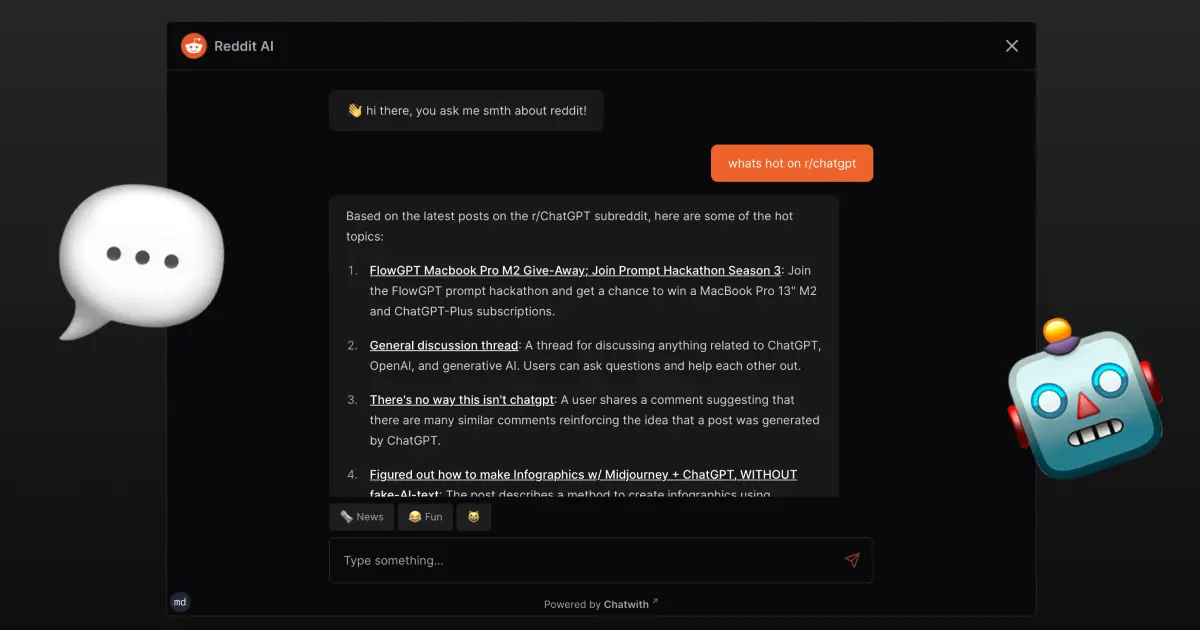
How to make a Chatwith Agent for the Reddit API with OpenAPI
Hands on tutorial for creating a Chatwith Agent that interacts with Reddit API using OpenAPI and NextJS to answer questions about subreddit posts