
Author
AI Chatbot Product Recommendations Setup for Retail
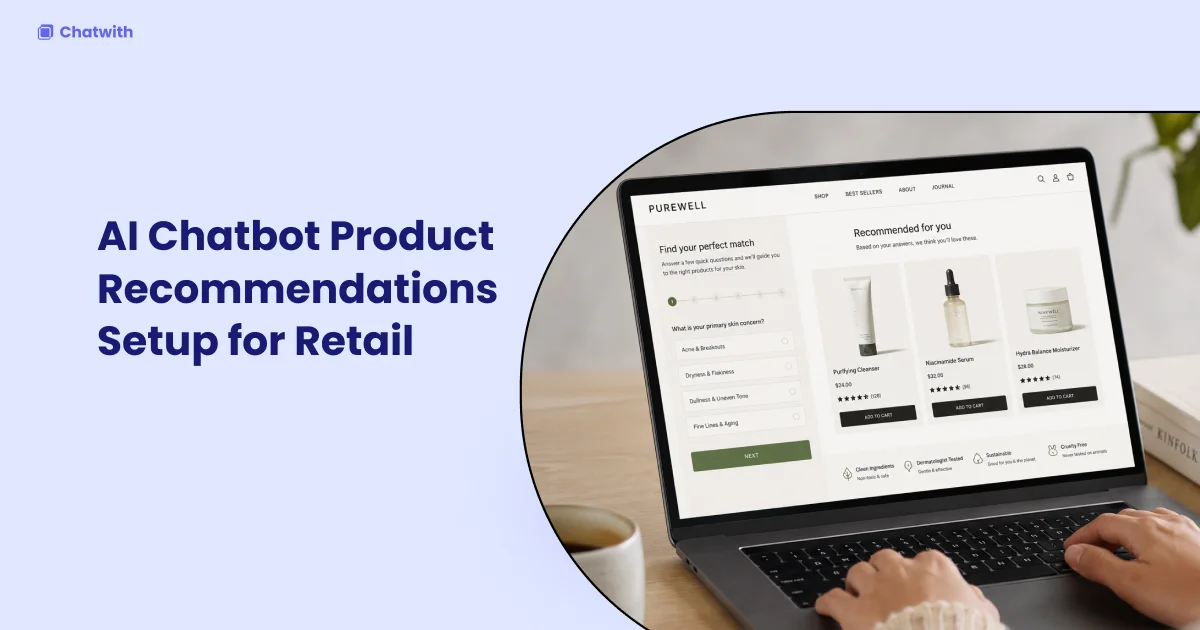
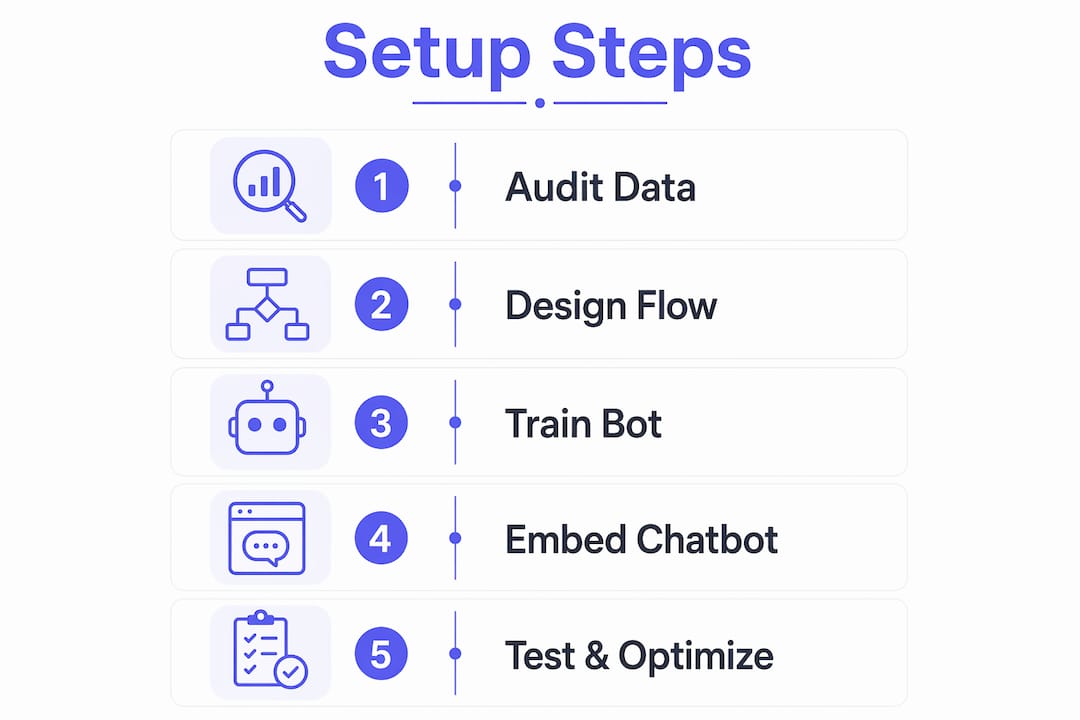
An AI chatbot product recommendation setup is the process of integrating conversational AI into your storefront to guide customers toward relevant products through personalized, real-time dialog. Done correctly, this approach replaces static filters and generic search bars with a guided selling experience that mirrors your best sales associate. The setup has four parts: preparing structured product data, designing a 3-to-5-question conversational flow, training the chatbot on your catalog and policies, and testing against real customer scenarios before launch. No-code platforms like Chatwith have made this accessible to retailers without dedicated engineering teams. The difference between a chatbot that converts and one that frustrates customers comes down to data quality, conversational design, and how well the bot is trained on your specific catalog.
What does AI chatbot product recommendations setup actually require?
Before you touch any software, you need structured data. Connecting product catalogs, FAQs, policies, and size guides is the minimum requirement for a chatbot that gives accurate, specific answers rather than generic ones. A chatbot trained on vague product descriptions will produce vague recommendations. That directly costs you conversions.
The preparatory work falls into four categories:
- Product catalog data: Export your full catalog as a CSV or spreadsheet. Each row should include product name, SKU, category, price, key attributes (material, size range, weight, compatibility), and a short description. The more granular the attributes, the more precise the chatbot's filtering logic becomes.
- Supporting documents: Gather your shipping policy, returns policy, size guides, and any FAQ documents. These are the sources your chatbot will draw from when customers ask pre-purchase questions. Missing this data is the single most common reason chatbots give wrong answers about delivery timelines or return windows.
- Business objectives: Define what success looks like before you build. Are you optimizing for average order value, reducing support tickets, or capturing leads from undecided visitors? Your objective shapes every design decision downstream.
- Platform selection: Choose a platform that supports direct integration with your product data. Options range from no-code tools like Chatwith to API-first frameworks built on OpenAI's GPT-4o Mini or GPT-5. Match the platform to your technical capacity, not just your budget.
Pro Tip: Before uploading your catalog, audit it for consistency. If some products list "Blue" and others list "Navy Blue" for the same color, your chatbot will treat them as different attributes. Normalize your data first.
Data quality is not a setup detail. It is the foundation of every recommendation the chatbot makes. A clean, complete catalog with standardized attributes produces a bot that feels intelligent. An inconsistent one produces a bot that guesses.
How to design the conversational flow for product recommendations
Conversational flow is where most businesses underinvest. They focus on the AI model and ignore the question architecture. Three to five qualifying questions is the optimal range for recommendation chatbots. Fewer than three questions narrows the catalog too slowly. More than five, and drop-off climbs sharply with every additional question. That is not a user preference. It is a behavioral ceiling.
Here is how to build a flow that converts:
- Start with the broadest qualifier. Your first question should eliminate the largest portion of your catalog. For a clothing retailer, "Are you shopping for yourself or as a gift?" immediately splits the experience. For a tech accessories brand, "What device are you shopping for?" does the same work.
- Apply elimination cascades. Each subsequent question should cut the remaining catalog by at least 30 percent. Optimal flows eliminate 30%+ of products per question. If a question only eliminates 10 percent, it is not earning its place in the sequence.
- Build in objection handling. After presenting a recommendation, anticipate the three most common objections: price, availability, and fit uncertainty. Script follow-up responses for each. "That's a bit over my budget" should trigger a response that either offers an alternative or justifies the value.
- Add a progress indicator. Conversational interfaces that show users where they are in a sequence ("Question 2 of 4") reduce abandonment. Users are more willing to answer the next question when they know the end is near.
- Separate AI from decision trees for edge cases. Use a generative AI layer for open-ended questions and a rule-based decision tree for structured filtering. This hybrid approach keeps the experience fluid while maintaining catalog accuracy.
Pro Tip: Map your entire decision tree on paper or in a tool like Miro before you build it in software. Teams that skip this step spend three times as long fixing logic errors inside the platform.
The difference between AI conversational bots and simple decision trees is that AI can interpret intent from ambiguous input. A customer who types "something cozy for winter evenings" is not using your filter taxonomy. A well-trained AI model reads that intent and maps it to relevant attributes. A decision tree cannot.

How do you train a chatbot on your product data?
Training your chatbot is the step that separates a generic assistant from a product expert. The process differs by platform, but the core steps are consistent whether you use a no-code tool like Chatwith or a custom build on a model API.
- Web crawling: Most platforms allow you to enter your website URL and automatically ingest product pages, blog posts, and policy pages. This is the fastest starting point, but it only captures what is publicly visible on your site.
- CSV and document uploads: Upload your product catalog spreadsheet, FAQ documents, and policy PDFs directly. This fills gaps that web crawling misses, particularly for internal pricing tiers, B2B catalogs, or draft products not yet published.
- System prompt configuration: Write a system prompt that defines the chatbot's persona, scope, and behavior. Specify that the bot should only recommend products from the provided catalog, always ask for clarification when uncertain, and never fabricate product details. This single instruction prevents the majority of hallucination errors.
- Regular data syncs: Set a schedule to re-upload or re-crawl your catalog whenever inventory changes. A chatbot recommending out-of-stock products destroys trust faster than any other failure mode.
| Integration method | Technical skill required | Best for |
|---|---|---|
| Web crawler | None | Sites with well-structured product pages |
| CSV upload | Minimal | Businesses with clean product spreadsheets |
| API integration | Moderate | Shopify stores needing real-time inventory sync |
| Custom data pipeline | High | Enterprise catalogs with complex attribute structures |
Shopify merchants have a specific advantage here. Embedding chatbots on Shopify requires no developer assistance through native app integrations or embed code snippets added to theme.liquid. Chatwith supports this directly, allowing merchants to connect their store data and deploy a trained chatbot in under an hour. For non-Shopify storefronts, the same embed code approach works across most CMS platforms.
The importance of structured product data cannot be overstated. A chatbot trained on rich, normalized attributes will outperform one trained on narrative product descriptions every time, because it can filter and compare with precision rather than inference.
How to embed, test, and optimize your recommendation chatbot
Embedding is the easiest part of the process. Testing is where most teams underinvest. Before going live, simulate the full range of customer scenarios your chatbot will encounter.
| Test scenario | What to check | Pass criteria |
|---|---|---|
| Shipping timeline question | Accuracy against policy document | Matches published policy exactly |
| Out-of-stock product request | Fallback behavior | Offers alternative or captures lead |
| Ambiguous intent input | Clarification logic | Asks follow-up rather than guessing |
| Budget constraint mention | Objection handling | Presents lower-priced alternative |
| Return policy question | Document retrieval | Cites correct policy with no fabrication |
Testing with realistic scenarios before launch is the standard that separates reliable chatbots from ones that generate complaints. Simulate questions about shipping, returns, sizing, and cart abandonment. Each failure you catch in testing is a customer you keep in production.
For hallucination prevention, the architecture that works is Retrieval-Augmented Generation (RAG) combined with guardrails in the system prompt. RAG retrieves the relevant catalog entries and policy passages first, then generates the answer from those sources — so every response reflects your actual documents rather than model inference. This is particularly critical for product specifications, pricing, and availability.
Pro Tip: Track conversation drop-off by question number during the first two weeks post-launch. If you see a spike at question three, that question is either confusing or asking for information customers do not have ready. Rewrite it.
After launch, monitor three metrics: conversation completion rate, recommendation acceptance rate, and post-chat conversion rate. These three numbers tell you whether your flow is working, whether your recommendations are relevant, and whether the chatbot is actually driving revenue. Use conversation outcome tracking to identify which flows convert and which ones stall. Refine the underperforming paths first. Sophisticated chatbots also capture real-time visitor intent from browsing context, not just explicit answers, which gives the recommendation engine additional signal to work with.
Key takeaways
A successful AI chatbot product recommendation setup depends on clean catalog data, a 3 to 5 question conversational flow, and continuous testing against real customer scenarios.
| Point | Details |
|---|---|
| Data quality is the foundation | Normalize product attributes and upload catalogs, FAQs, and policies before training your chatbot. |
| Limit qualifying questions to 3 to 5 | More than five questions causes steep drop-off; fewer than three narrows the catalog too slowly. |
| Use RAG to prevent hallucinations | Retrieval-Augmented Generation with semantic guardrails keeps chatbot responses grounded in your actual product data. |
| Test before launch with real scenarios | Simulate shipping, returns, sizing, and out-of-stock queries to catch failures before customers do. |
| Track three post-launch metrics | Monitor conversation completion, recommendation acceptance, and post-chat conversion to guide iteration. |
What I've learned building recommendation chatbots that actually convert
The most common mistake I see businesses make is treating the chatbot as a search bar with a personality. It is not. A recommendation chatbot is a sales process encoded in software. That means you need to map your decision tree before you open any platform. Teams that skip this step spend weeks fixing logic errors that a 30-minute whiteboard session would have prevented.
The second lesson is harder to accept: pre-labeling common objections and mapping product attributes into normalized spreadsheets is not optional prep work. It is the actual work. The software is just the container.
I am also a strong advocate for hybrid generative and rule-based systems. Pure generative AI is impressive in demos and unreliable in production for anything involving specific product data, pricing, or policy. A rule-based layer for structured filtering combined with a generative layer for open-ended conversation gives you accuracy where it matters and flexibility where it helps.
The edge case that trips up most chatbots is the ambiguous query. A customer who says "I need something for my dad" has given you almost nothing to work with. The right response is not a guess. Clarification-first logic asks a targeted follow-up question rather than surfacing a random product. That single design decision reduces returns and increases trust more than any model upgrade will.
— Alyssa
How Chatwith simplifies your AI chatbot product recommendations setup
Chatwith lets you build a custom AI chatbot trained directly on your website content, product catalog, and uploaded documents, with no developer required. You connect your data sources, configure your conversational flow, and embed the chatbot on your site using a single code snippet. Chatwith supports over 95 languages and integrates with more than 5,000 applications, including Shopify, making it a practical fit for e-commerce teams that need accurate, context-rich product recommendation chatbots without a lengthy implementation cycle. If you want a chatbot that knows your catalog as well as your best sales rep, Chatwith is where to start.
FAQ
What data do I need before setting up a product recommendation chatbot?
You need a structured product catalog with normalized attributes, plus supporting documents like FAQs, shipping policies, and size guides. Missing or inconsistent data is the primary cause of inaccurate chatbot recommendations.
How many questions should a product recommendation chatbot ask?
Three to five qualifying questions is the proven range. Fewer than three narrows the catalog too slowly, while more than five causes steep drop-off with each additional question.
How do I prevent my chatbot from giving wrong product information?
Use a Retrieval-Augmented Generation architecture with semantic guardrails and a system prompt that instructs the chatbot to ask for clarification rather than guess. This approach keeps responses grounded in your actual source documents.
Can I set up an AI product recommendation chatbot without coding?
Yes. No-code platforms like Chatwith offer setup through CSV uploads, web crawlers, and embed code snippets that work on Shopify and most CMS platforms without developer assistance.
What metrics should I track after launching my recommendation chatbot?
Track conversation completion rate, recommendation acceptance rate, and post-chat conversion rate. These three numbers reveal whether your flow, your recommendations, and your overall chatbot are generating real business results.
Recommended
More from our blog
Automate customer support using a chatbot with integrations
Automate your business. Go beyond Q&A by connecting your custom ChatGPT chatbot to 6000+ services for tasks like scheduling events, CRM updates, and more.

How to add a custom GPT chatbot to a website
Create a custom AI. Learn how to train and embed a custom ChatGPT chatbot for your website content, files, and other sources, all without coding skills.